Install the SpinShot App on Ecwid
Many online mega-retailers have discovered that 360 product images significantly boost product engagement and sales while reducing return rates. Unfortunately many shopping cart systems available to small and mid-sized businesses only allow static images be used on their product pages. SpinShot solves this problem. In fact, we built an integration with Ecwid so now you can easily integrate the SpinShot 360 product viewer within your Ecwid-powered ecommerce page!
Video Instructions:
This video will show you how to add our 360 view integration App into your Ecwid account. The App makes integration super simple– we hope you like it!
Step-by-step Installation Instructions
- Create an SpinShot account and upload your 360 degree product photos
- Install the SpinShot plugin from Ecwid’s app store
- Copy your 360 view’s embed code
-
Log into your SpinShot account and click on the 360 view you want to add.
-
Click “Embed” and choose the “URL” tab.
-
Copy the embed code. It should look something like this: https://embed.spinshot.io/7186205
- Paste the 360 view’s embed code into Ecwid
-
From within your Ecwid account and find product you want to add your 360 view to.
-
Be sure to add a static product image, like you normally would (Ecwid needs this image for displaying elsewhere on your website).
-
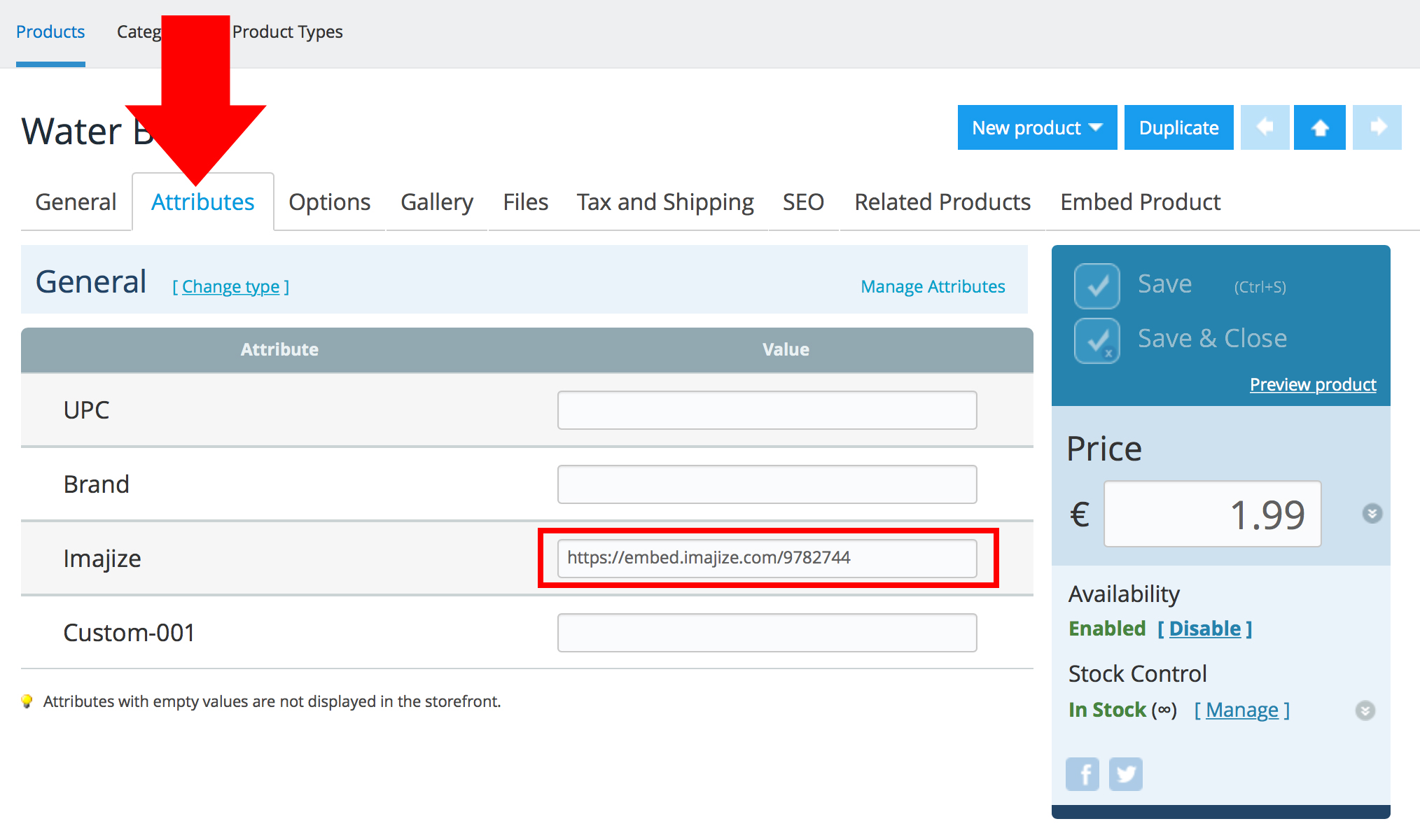
After the single static image has been uploaded, click the “attributes” tab (see screenshot below).
-
Paste your 360 view’s embed code into the “SpinShot” field–that’s it! You will now see the 360 view on your product page.
Here is an example of an SpinShot 360 viewer in action.