You can move and clone multiple 360 views from one project to another. To use the move feature, you need to have at least two projects created.
-
Click on the Project you want to move/clone from.
-
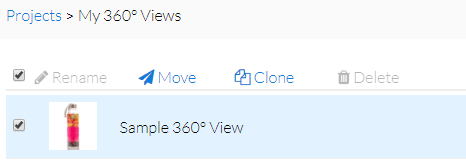
Click the checkbox next to 360 view(s) you want to move/clone.
-
To select all of your 360 views at once, make sure all of them are loaded by scrolling down to the bottom of the page, then scroll back up and click the very top checkbox.
-
At the very top, you’ll see a blue “Move” and “Clone” link.
-
To move your 360 views, click “Move” and select the new Project you want to add them to.
-
To clone your 360 views, click “Clone” and select the Project you want to duplicate your 360 views to. Your originals well stay put in the Project they’re in.