This article will show you how to download the individual images from your 360 view.
Here’s the process:
-
Log into your SpinShot account and click on the 360 view you want to download.
-
In the top right corner, hover your mouse over More and click Download.
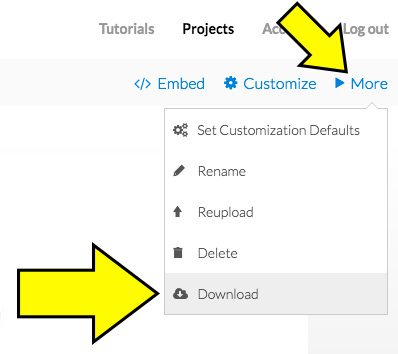
- It will appear like nothing is happening. Don’t worry, SpinShot is feverishly preparing your images for download. Hang tight, as this can take a minute or two depending on your file size.